
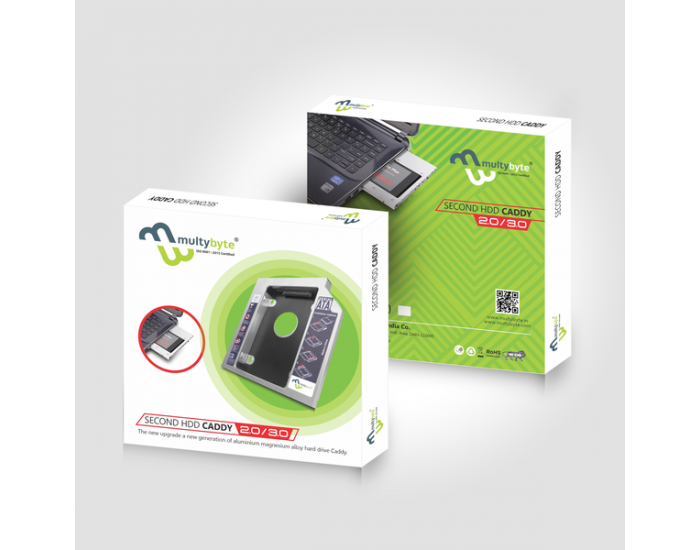
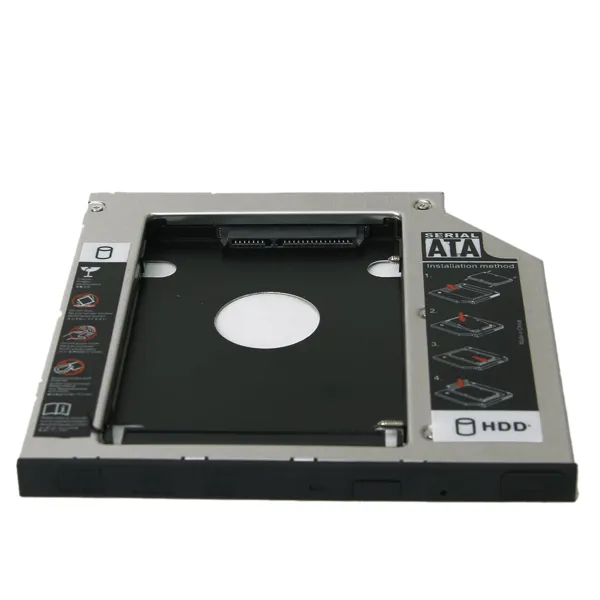
Multibyte 9.5mm Universal Second HDD/SSD Caddy
Are you running out of storage space on your laptop? The Multibyte 9.5mm Caddy Casing is the perfect solution for you. This clever device allows you to add a second hard drive or SSD to your laptop easily.
Why Choose Multibyte 9.5mm Caddy?
Most modern laptops come with a thin DVD drive that we rarely use. You can replace that useless DVD drive with this 9.5mm caddy casing to increase your storage. Since it has a 9.5mm slim design, it fits perfectly into most modern laptops. Moreover, it features a high-quality aluminum body for better heat dissipation.
1. Key Features and Benefits
- Fast Data Transfer: It supports SATA 3.0 technology. Therefore, you can enjoy data speeds up to 6Gbps.
- Dual Storage Power: You can keep your OS on an SSD for speed and use a large HDD in this caddy for extra storage.
- Plug and Play: You do not need any extra drivers. Just plug it in, and your laptop will recognize it instantly.
- Secure Fit: It comes with specialized screws. Consequently, your hard drive stays firm and safe inside the laptop.
2. Technical Specifications
- Interface: It features a standard SATA to SATA interface (SATA 3.0 compatible), supporting data transfer speeds of up to 6 Gbps.
- Compatibility: It is compatible with 2.5-inch SATA HDDs and SSDs. It supports various capacities, including 500GB, 1TB, and 2TB drives.
- Form Factor: The 9.5mm height is critical. Before purchasing, users should verify if their laptop uses a 12.7mm (thick) or 9.5mm (thin) drive.
3. Key Features and Benefits
- Plug & Play: The device is recognized automatically by Windows, Mac, and Linux operating systems. No additional drivers or software installations are required.
- Dual Boot Support: It allows for a dual-boot setup. You can install an SSD in this caddy to run a second Operating System or use it strictly for high-speed data storage.
- Secure Mounting: The caddy comes with a set of screws and a screwdriver to firmly lock the HDD/SSD in place, preventing vibrations or accidental disconnections.
- Seamless Integration: You can remove the “faceplate” (bezel) from your old DVD drive and attach it to the Multibyte caddy, ensuring that the laptop maintains its original look from the outside.
4. Performance Optimization
For the best results, it is highly recommended to place your Primary SSD in the main laptop slot (where the OS is installed) and move your old HDD to the Multibyte Caddy. This configuration gives you the lightning-fast speed of an SSD for booting up and the massive storage of an HDD for movies, photos, and large files.





 No products in the cart.
Reviews
There are no reviews yet.